Why Splitting Large Sitemaps Improves Indexing Speed (And How to Do It Right)
 SEO Stack hub
·
Oct 13, 2026
SEO Stack hub
·
Oct 13, 2026
On one of my sites, a single sitemap had grown to several thousand URLs. Search Console said “Success,” so I assumed everything was fine. Then I noticed new articles were taking days longer to get indexed than they used to — and I had no idea which sections of the site Google was ignoring.
Splitting that sitemap into smaller, logically grouped files didn’t magically make Google crawl faster. What it did was give me visibility, cleaner signals and fresher files — and those three things together are what actually sped up indexing.
This guide explains the real reasons sitemap splitting helps, the technical limits you need to respect, how it connects to crawl budget, and exactly how to structure split sitemaps on WordPress. If you’re new to sitemaps, our smart XML sitemaps guide covers the basics first.
The Honest Answer: Does Splitting Sitemaps Speed Up Indexing?
Let’s be precise, because a lot of articles overpromise here. Google doesn’t crawl a site faster just because it has more sitemap files. A sitemap is a hint about which URLs exist and when they changed — not a command.
But splitting sitemaps the right way indirectly speeds up indexing in four practical ways:
- Fresher signals: Small sitemaps for new content change often and carry accurate
lastmoddates, so Google can spot new URLs quickly. - Better diagnosis: Search Console reports indexing per sitemap, so you can see exactly which section has problems.
- Cleaner crawl priorities: Separating valuable pages from low-value ones helps you remove the junk that wastes crawl attention.
- Reliable processing: Smaller files are generated and fetched faster, and stay well within protocol limits.
For large sites, Google itself recommends breaking sitemaps up and using a sitemap index. Its guide on managing large sitemaps is the official reference.
Sitemap Thresholds You Must Know
The sitemap protocol sets hard limits. Exceed them and part of your sitemap may be ignored.
| Limit | Value | What Happens If You Exceed It |
|---|---|---|
| URLs per sitemap file | 50,000 | Extra URLs may not be processed |
| Uncompressed file size | 50 MB | File may fail to process (the limit applies even if you gzip it) |
| Sitemaps per sitemap index | 50,000 | Use multiple index files |
| Sitemap index files per site in Search Console | Up to 500 | Combine or restructure indexes |
These limits come from the sitemaps.org protocol, which Google, Bing and other search engines follow.
The Practical Threshold Is Much Lower
Just because a file can hold 50,000 URLs doesn’t mean it should. Most WordPress SEO plugins already split sitemaps into much smaller pages by default — Rank Math, for example, uses 200 links per sitemap file by default, and WordPress core sitemaps use up to 2,000. I keep most sitemaps between 200 and 1,000 URLs because:
- Smaller files generate faster on shared hosting and are less likely to time out.
- Problems show up in a specific file instead of being buried in a huge one.
- Database queries for each file stay light.
How Sitemap Splitting Connects to Crawl Budget
Crawl budget is the number of URLs Googlebot is able and willing to crawl on your site in a given period. Google explains it in detail in its guide to managing crawl budget for large sites. It depends on two things:
- Crawl capacity: How much crawling your server can handle without slowing down.
- Crawl demand: How much Google wants to crawl your URLs, based on popularity and freshness.
Here’s the honest truth for most site owners: if your site has fewer than a few thousand pages and you publish normally, crawl budget is rarely your bottleneck. Content quality and internal linking matter more.
Crawl budget becomes a real concern when you have tens of thousands of URLs, lots of auto-generated pages (filters, tags, parameters), or a server that responds slowly. In those cases, a well-structured set of sitemaps helps you see and control where crawl attention goes.
What Wastes Crawl Budget
- Faceted navigation and filter URLs (colour, size, price combinations)
- Thin tag archives with one or two posts
- Duplicate URLs with tracking parameters
- Soft 404s and long redirect chains
- Internal search result pages
None of these belong in a sitemap. When you split sitemaps by content type, you naturally notice them and can exclude them. Our guide to robots.txt and search engine crawling explains how to stop bots from wandering into these areas in the first place.
Smart Ways to Split Your Sitemaps
The goal isn’t just smaller files — it’s meaningful groups. Here are the splitting strategies I use, from simplest to most advanced.
1. Split by Content Type
This is the default for most WordPress SEO plugins and works well for most sites:
post-sitemap.xml— blog postspage-sitemap.xml— static pagesproduct-sitemap.xml— WooCommerce productscategory-sitemap.xml— category archives
2. Split by Freshness
For sites publishing several articles a day, I like a small sitemap of recently published or updated URLs, separate from the archive. It changes constantly, so Google has a strong reason to re-fetch it often. News publishers take this further with a dedicated news sitemap covering only the last two days of articles — see our Google News sitemap setup guide.
3. Split by Site Section or Category
Large sites benefit from grouping by section, such as sitemap-reviews.xml, sitemap-guides.xml and sitemap-news.xml. When one section’s indexing rate drops, you’ll see it immediately in Search Console.
4. Split by Media Type
Image and video sitemaps help search engines discover media that might otherwise be missed, especially when it loads through JavaScript. Our video SEO sitemap guide shows how to set one up in WordPress.
5. Split by Date (Large Archives)
Sites with years of content can split posts by year or month. Older files rarely change, while the current period’s file updates often — which keeps lastmod values honest and meaningful.
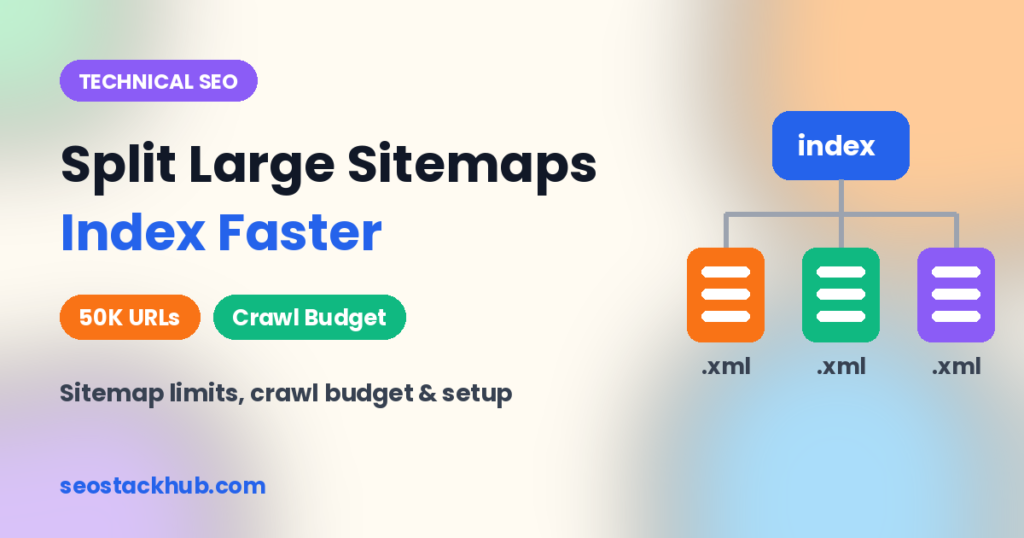
How a Sitemap Index Ties Everything Together
Once you split, you need one master file pointing to all the others. That’s the sitemap index. A simple example looks like this:
<?xml version="1.0" encoding="UTF-8"?>
<sitemapindex xmlns="http://www.sitemaps.org/schemas/sitemap/0.9">
  <sitemap>
    <loc>https://example.com/post-sitemap1.xml</loc>
    <lastmod>2026-10-10T08:00:00+00:00</lastmod>
  </sitemap>
  <sitemap>
    <loc>https://example.com/post-sitemap2.xml</loc>
    <lastmod>2026-09-02T11:30:00+00:00</lastmod>
  </sitemap>
  <sitemap>
    <loc>https://example.com/page-sitemap.xml</loc>
    <lastmod>2026-08-15T09:00:00+00:00</lastmod>
  </sitemap>
</sitemapindex>
You submit only the index in Search Console. Google discovers every child sitemap from there, and the Sitemaps report lets you drill into each one.
How to Split Sitemaps in WordPress
Using Rank Math
- Go to Rank Math → Sitemap Settings → General.
- Set Links Per Sitemap to your preferred size (the default 200 works well for most sites).
- Under each post type and taxonomy tab, include only content that deserves to rank — for example, keep posts and pages, and exclude thin tag archives.
- Exclude individual low-value URLs by setting them to noindex; Rank Math removes noindexed URLs from the sitemap automatically.
- Submit
/sitemap_index.xmlin Search Console.
Using Yoast SEO
- Yoast splits sitemaps automatically by type and paginates them (1,000 entries per file by default).
- Hide unwanted content types under Settings → Content types / Categories & tags by turning off “Show in search results.”
- Developers can change the per-file limit with the
wpseo_sitemap_entries_per_pagefilter.
Using WordPress Core Sitemaps
WordPress has generated basic sitemaps at /wp-sitemap.xml since version 5.5. They’re split by type automatically but offer limited control. If you use an SEO plugin, it usually disables core sitemaps to avoid duplicates — check that only one sitemap index is live.
Sitemap Architecture for Large Sites: A Practical Blueprint
Here’s a structure I’d use for a site with around 30,000 indexable URLs — a mix of articles, products and categories:
| Sitemap File | Contents | Approx. URLs per File | Changes |
|---|---|---|---|
| sitemap_index.xml | Links to every child sitemap | — | Whenever a child changes |
| post-sitemap1…N.xml | Blog articles, newest first | 500–1,000 | Daily (newest file) |
| product-sitemap1…N.xml | In-stock and evergreen products | 500–1,000 | When products update |
| category-sitemap.xml | Main categories only | Under 500 | Rarely |
| page-sitemap.xml | Core static pages | Under 200 | Rarely |
| video-sitemap.xml | Pages with embedded videos | Under 1,000 | When videos are added |
Notice what’s missing: tag archives, filter combinations, author archives, internal search pages and paginated archives. Leaving these out is just as important as how you split the rest.
Sitemap Splitting for WooCommerce Stores
E-commerce sites are where sitemap structure matters most, because product catalogs grow fast and change constantly.
- Keep products in their own sitemaps. That way you can track the indexing rate of products separately from blog content.
- Exclude filtered and sorted URLs. Layered navigation can generate thousands of parameter URLs; none belong in a sitemap.
- Handle discontinued products deliberately. Remove them from the sitemap once they redirect or return 404 — listing dead URLs erodes trust in the whole file.
- Include product images. Most SEO plugins add image entries to product sitemaps automatically, helping product photos appear in image search.
For the wider picture on store optimization, see our WooCommerce SEO guide.
Building Split Sitemaps on Custom or Non-WordPress Sites
If you run a custom-built site, a headless setup, or a large database-driven directory, you’ll likely generate sitemaps yourself. The logic is straightforward:
- Query only indexable URLs — published, canonical, not noindexed, returning 200.
- Sort by last modified date so the newest content lands in the first file.
- Chunk the list into files of a fixed size (for example, 1,000 URLs each).
- Write each file with the correct XML namespace and absolute URLs.
- Generate the index listing every file with its own lastmod (the newest lastmod inside it).
- Regenerate on a schedule or when content changes, and serve files with a short cache time.
Validate the output once by opening the index in a browser, then submit it in Search Console and confirm each child sitemap shows “Success.”
Best Practices That Actually Improve Indexing
- Only list canonical, indexable URLs. No redirects, no 404s, no noindex pages, no parameter duplicates. Every bad URL weakens trust in the whole file. Our guide to SEO canonical URLs helps you get this right.
- Keep
lastmodaccurate. Google has said it uses lastmod when it’s consistently reliable. Don’t update it for trivial changes like a new sidebar widget. - Skip
priorityandchangefreq. Google ignores both, so don’t waste time tuning them. - Reference the index in robots.txt. Add a line such as
Sitemap: https://example.com/sitemap_index.xml. - Use absolute URLs that match your preferred protocol and domain exactly (https, with or without www).
- Combine sitemaps with IndexNow for search engines that support it, so new URLs are pushed instantly. See our IndexNow guide.
- Strengthen internal links. A sitemap helps discovery, but internal links show importance. New posts should be linked from relevant existing pages.
How to Monitor Split Sitemaps in Search Console
This is where splitting pays off most. In the Sitemaps report, click any sitemap to open the Page indexing report filtered to just those URLs.
Here’s the monthly check I run:
- Compare submitted vs indexed for each child sitemap.
- Spot the section with the lowest indexing rate and look at the reasons listed.
- Check that “Last read” dates are recent. An old read date on an important sitemap is a warning sign.
- Watch for “Couldn’t fetch” or “Has errors” statuses, often caused by timeouts or caching plugins serving stale files.
If your WordPress dashboard isn’t connected to Search Console yet, our Search Console integration guide walks you through it.
Example: What a Split Sitemap Revealed
On one site, the overall indexing rate looked fine. But once sitemaps were split by section, one category showed far fewer indexed URLs than submitted, with most marked “Crawled – currently not indexed.” The problem wasn’t technical — those articles were thin and overlapping. Merging them into fewer, stronger guides fixed the indexing rate for that section within a couple of months. Without the split, that pattern would have stayed hidden in an average.
Common Sitemap Mistakes to Avoid
- Submitting every child sitemap separately and also the index — it works, but creates clutter. Submit the index.
- Caching sitemaps for too long. Exclude sitemap URLs from page caching or set a short cache time so new posts appear quickly.
- Running two sitemap generators (for example, core sitemaps plus a plugin) with conflicting URLs.
- Including staging or development URLs after a migration.
- Blocking sitemap URLs in robots.txt or behind a security plugin’s bot protection.
- Expecting instant indexing. A sitemap invites a crawl; content quality decides whether a page gets indexed.
Your Sitemap Splitting Checklist
Use this checklist the next time you review your sitemaps. If you can tick every box, your sitemap setup is doing its job:
- ☐ One sitemap index is submitted in Search Console and referenced in robots.txt.
- ☐ No single sitemap file exceeds 50,000 URLs or 50 MB uncompressed — and most stay well under 1,000 URLs.
- ☐ Sitemaps are grouped by content type, section or freshness, not dumped into one file.
- ☐ Every listed URL returns 200, is canonical and is indexable.
- ☐ Redirects, 404s, noindex pages and parameter URLs are excluded.
- ☐
lastmodchanges only when meaningful content changes. - ☐ Sitemaps are excluded from long page caching so new posts appear quickly.
- ☐ Only one sitemap generator is active on the site.
- ☐ Each child sitemap shows “Success” and a recent “Last read” date.
- ☐ The indexing rate of each child sitemap is reviewed at least once a month.
When Sitemaps Aren’t the Problem
It’s tempting to blame sitemaps whenever pages aren’t indexed. Before restructuring anything, rule out these more common causes:
- Thin or duplicate content that Google doesn’t consider worth indexing.
- Orphan pages with no internal links pointing to them.
- Slow server responses that cause Google to reduce crawling.
- Accidental noindex tags or robots.txt blocks after a theme or plugin change.
A full technical review often uncovers these faster than sitemap changes alone. Our SEO site audit guide walks through each check step by step.
Frequently Asked Questions
How many URLs should one sitemap contain?
The protocol maximum is 50,000 URLs or 50 MB uncompressed. In practice, 200–1,000 URLs per file is easier to generate, debug and monitor on WordPress.
Do small websites need to split sitemaps?
Not strictly. But since most SEO plugins split by content type automatically, you get the monitoring benefits for free. Just make sure you’re not including low-value URLs.
Does Google use the priority tag?
No. Google ignores priority and changefreq. It may use lastmod if the dates are consistently accurate.
Should I compress my sitemaps with gzip?
You can, and it reduces transfer size. Remember the 50 MB limit still applies to the uncompressed file.
Will splitting sitemaps fix “Discovered – currently not indexed”?
Not on its own. It helps you see which section is affected. The fix usually involves better internal linking, faster server response and higher-quality content.
Final Thoughts
Splitting large sitemaps isn’t a trick that forces Google to crawl faster. It’s a way of organising your site so search engines get clean, fresh, trustworthy signals — and so you can see exactly where indexing breaks down.
Keep files small and logically grouped, list only canonical indexable URLs, keep lastmod honest, and check the Sitemaps report every month. Pair that with strong internal linking and useful content, and faster indexing follows naturally. When in doubt, Google’s guide to building and submitting a sitemap remains the definitive reference.